The front panel of custom golf ball sleeves should carry one bold logo, the back panel holds the message and details, the narrow sides repeat the brand for stacked display, and the end flaps stay simple. Custom Golf Ball Sleeves lays out every panel on a free mockup within 24 hours, so you see the whole sleeve before approving anything.
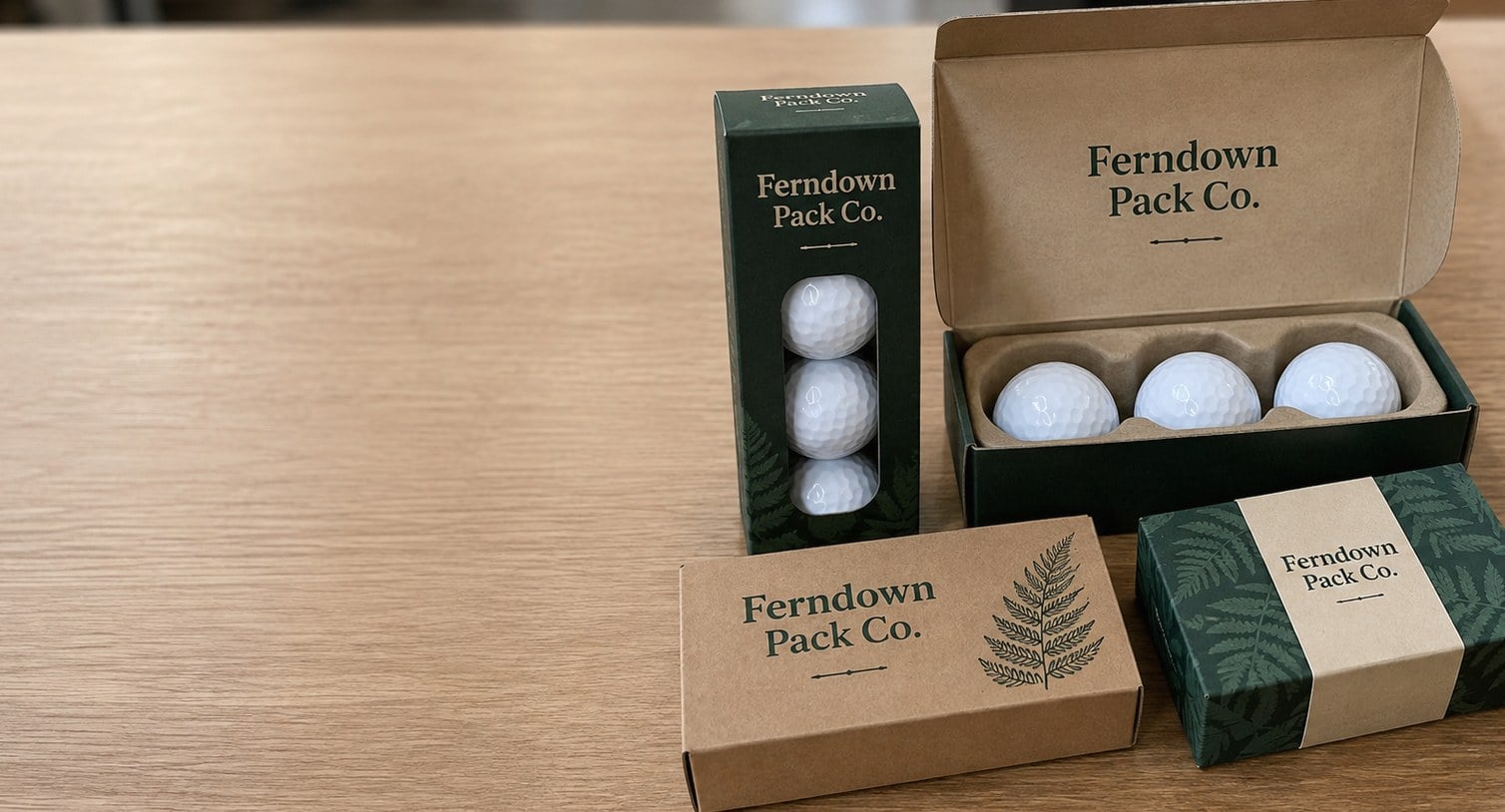
- A golf ball sleeve has a front, a back, two narrow sides and two end flaps, and each panel does a different job.
- The front panel is for one logo or crest; the back panel is where messages, names and contact details belong.
- Names, titles and sponsor marks can change within one run while the base design stays the same.
- Custom Golf Ball Sleeves returns a free mockup within 24 hours with unlimited free revisions.
- Standard turnaround is about 2 weeks, and you pay nothing until you approve the design.
What are the panels on a golf ball sleeve, and what does each one do?
A printed golf ball sleeve is a folded carton with a front panel, a back panel, two narrow side panels and two end flaps that tuck closed. Each panel is seen at a different moment: the front when the sleeve is handed over or sits in a gift bag, the sides when sleeves are stacked on a shelf or table, the back when the recipient turns it over, and the flaps when it is opened.
Treating every panel as the same canvas is the most common layout problem on golf ball sleeves. A logo squeezed onto a narrow side panel, or a paragraph of text across the front, makes the whole sleeve harder to read. Plan the sleeve as a sequence instead, from first glance to opening.
| Panel | When it is seen | What belongs there |
|---|---|---|
| Front | Handed over, in a gift bag, face-up on a table | One logo or crest, optional short event name |
| Back | When the recipient turns the sleeve over | Message, names, contact details, sponsor marks |
| Sides | Stacked on a shelf or display | Brand name or simple mark, read sideways |
| End flaps | When the sleeve is opened | Color, pattern or a small secondary mark |
What should go on the front panel of custom golf ball sleeves?
The front panel of custom golf ball sleeves should carry one dominant element: your logo, club crest or event mark, with generous space around it. The front panel is the face of the gift, and it reads best when a recipient can identify the brand from across a table without picking the sleeve up.
A short line such as an event name or a tagline can sit under the logo, but keep it to a few words. If the front panel needs more than that, the extra copy almost always belongs on the back.
- Use the full-color or vector version of the logo rather than a screenshot, so edges stay crisp at sleeve size.
- Leave a margin away from the folds. Artwork that runs too close to a crease can look cut off once the sleeve is folded.
- Choose the treatment to match the gift. A foil-stamped logo suits a private club or a senior milestone, while full-color printing suits colorful brands and sponsor-heavy events.
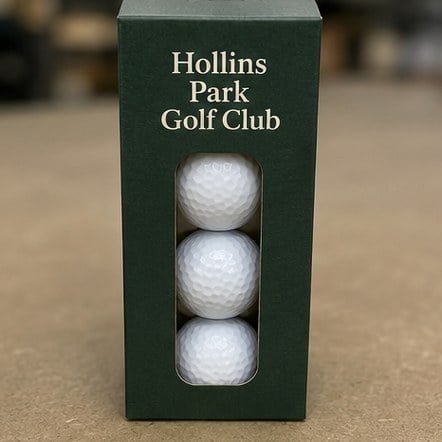
If you want the golf balls themselves visible, a window sleeve gives up part of the front panel to the window, so the logo needs to sit above or below the opening.
What belongs on the back panel of a golf ball sleeve?
The back panel of a golf ball sleeve is the working panel: it holds the message, the recipient or sponsor details and any contact information. Recipients turn a gift sleeve over once they have recognized the brand, so the back is where a thank-you line, a website, a phone number or a scannable code earns attention.
Order the back panel from most personal to most practical. A good sequence looks like this:
- A short headline message, such as a thank-you, an event name and date, or a milestone.
- The personal element, if any: a recipient name, a team name or a sponsor credit.
- Contact details or a code linking to a landing page or booking page.
- Any required small print, such as a disclosure line for regulated businesses.
Keep the type size readable. If the copy does not fit at a comfortable size, cut words rather than shrinking text. A back panel with three clear lines is more effective than one with eight crowded ones, and Custom Golf Ball Sleeves will flag crowded copy on the mockup.
How should the side panels and end flaps be designed?
The side panels and end flaps of golf ball sleeves should be simple and consistent, because they are mostly seen in a stack or for a moment as the sleeve opens. The narrow sides are ideal for the brand name or a small mark printed to read sideways, so a row of sleeves on a pro shop shelf or a registration table still shows who they are from.
End flaps rarely need text. A solid brand color, a subtle pattern or a small secondary logo makes the opening feel finished without adding copy nobody will read. Flaps are also where folding and tucking happen, so detailed artwork there is more likely to be hidden.
- Print the brand name on both sides so either orientation works in a display.
- Run a background color across sides and flaps for a polished, wrapped look.
- Avoid placing essential information such as a website or phone number on a flap.
For retail sleeves, the sides and back also need to leave room for any product or barcode information the shop requires, so mention retail use when you request the printed three-ball sleeves quote.
Where should names, sponsor logos and personal messages go?
Names, sponsor logos and personal messages on golf ball sleeves usually belong on the back panel, where they can change from sleeve to sleeve without disturbing the front design. Custom Golf Ball Sleeves can vary names, titles and sponsor marks within one run, so a single base design can carry many versions.
For tournaments, a common layout keeps the event logo on the front and puts the sponsor credit on the back with a line such as a hole sponsor thank-you. For recognition gifts, the employee or client name sits on the back under a short message, as on the employee service anniversary sleeves.
When sponsor logos must appear on the front, group them in a tidy row beneath the main mark and give them equal weight, so no sponsor feels secondary. If names or sponsors are not final when you order, sleeve labels and belly bands let you print the sleeves now and add the late details separately.
| Element | Best panel | Can vary within one run? |
|---|---|---|
| Company logo or crest | Front | Usually fixed |
| Recipient name | Back | Yes |
| Sponsor credit | Back, or a front row | Yes |
| Thank-you message | Back | Yes |
How do you check a golf ball sleeve layout before approving it?
Checking a golf ball sleeve layout means reviewing the flat mockup panel by panel and then imagining the folded sleeve in a recipient’s hand. Custom Golf Ball Sleeves sends the mockup within 24 hours, and revisions are unlimited and free, so take the time to look at every panel rather than just the front.
- Confirm the front logo is the version your brand team signs off on, with the correct colors.
- Read every word on the back panel out loud, including names, dates and web addresses.
- Check that nothing important sits on a fold line or on an end flap.
- Look at the side panels as if the sleeves were stacked, and confirm the brand reads correctly.
- If names or sponsors vary, review the full list against the source spreadsheet.
Share the mockup with whoever must approve it, such as a tournament committee, a marketing lead or a compliance reviewer, before you sign off. You pay nothing until you approve the design, and standard turnaround of about 2 weeks begins after approval. The how it works page walks through each step.
Which layout mistakes make golf ball sleeves look cheap?
Golf ball sleeves look cheap when every panel is crowded, when the logo is too small for the front, or when the colors fight the board. The fix in each case is restraint: fewer elements, more space and a deliberate choice of finish.
- Too many logos on the front. One brand mark reads as premium; five competing marks read as a flyer.
- Tiny text on the back. Copy that needs squinting tends to be ignored.
- Low-resolution artwork. Logos pulled from a website or a social profile often print soft.
- Ignoring the board. Bright colors look different on kraft and recycled sleeves than on white board, so design with the material in mind.
- Forgetting the balls. If the golf balls carry their own logo, the sleeve design should complement it rather than compete with it.
When in doubt, ask for two layout versions on the mockup and compare them side by side. Ready to start? Request a custom quote with your logo and a note on who will receive the sleeves.
Frequently asked questions
Can the front and back of a golf ball sleeve use different designs?
Golf ball sleeves can carry a completely different design on the front and back panels. Most buyers keep a bold logo on the front and use the back for a message, names or contact details. Custom Golf Ball Sleeves shows both panels on the free mockup, so you can judge how the two sides work together before approving anything for production.
Should the event date be printed on tournament golf ball sleeves?
Tournament golf ball sleeves often include the event date, usually on the back panel or in small type under the logo on the front. A date makes the sleeve a keepsake but ties it to one event, so leftover sleeves cannot be reused later. If you want flexibility, keep the date off the sleeve and add it with a belly band or label.
How much text can fit on the back panel of a golf ball sleeve?
The back panel of golf ball sleeves comfortably fits a short headline, a name or sponsor credit, and a line of contact details. Beyond that, type has to shrink and readability suffers. A good test is whether the back panel can be read at arm's length. Custom Golf Ball Sleeves will point out crowded copy on the mockup and suggest what to trim.
Can sponsor logos go on the side panels of golf ball sleeves?
Golf ball sleeves can carry sponsor logos on the side panels, but the narrow space means each mark prints small. Side panels work well for a single sponsor or a simple wordmark printed sideways. For several sponsors, the back panel or a tidy row under the front logo gives each mark enough room to be recognized at a glance.
Do golf ball sleeves need a printed design on the end flaps?
Golf ball sleeves do not need artwork on the end flaps, but a solid brand color or simple pattern makes the opening feel finished. End flaps fold and tuck, so detailed text placed there is easily hidden or creased. Custom Golf Ball Sleeves usually suggests carrying the background color through the flaps for a clean, wrapped look.
Which way should text face on the side panels of a golf ball sleeve?
Side panel text on golf ball sleeves usually runs sideways, reading from bottom to top, so the brand name is legible when sleeves stand in a row or lie in a stack. Printing the name on both sides means either orientation works on a shelf. The mockup from Custom Golf Ball Sleeves shows the direction so you can confirm it.
Can a golf ball sleeve show both a company logo and a client logo?
Golf ball sleeves can carry a company logo and a client logo together, which suits co-branded events and partner gifts. The cleanest layout puts the host or client brand on the front and the second logo on the back with a short line such as presented by. Equal-weight logos side by side on the front also work when both partners need parity.
What background color works best on custom golf ball sleeves?
Custom golf ball sleeves look best with a background color drawn from the brand palette, with enough contrast for the logo to stand out. Dark backgrounds feel premium and suit foil logos, while white board keeps full-color logos bright. On kraft board, the natural brown becomes the background, so designs with darker inks usually read most clearly.
Should a golf ball sleeve design match the logo printed on the golf balls?
Golf ball sleeves should complement any logo printed on the golf balls rather than repeat it awkwardly. Using the same brand colors and mark keeps the gift cohesive, especially in a window sleeve where the balls are visible. Custom Golf Ball Sleeves can design the sleeve around the balls you supply so both pieces look like one planned gift.
Can I approve the layout of golf ball sleeves panel by panel?
Golf ball sleeves can be reviewed and revised panel by panel during the mockup stage. You might approve the front immediately and ask for changes to the back message or the side panels. Custom Golf Ball Sleeves offers unlimited free revisions, and you pay nothing until the whole design is approved, so each panel can be refined separately.
Is a minimalist golf ball sleeve design better than a busy one?
Minimalist golf ball sleeves usually read as more premium than busy ones, because a single logo with plenty of space looks deliberate and gift-like. Busy designs can work for colorful event brands, but they need a clear focal point. When unsure, ask Custom Golf Ball Sleeves for a simple and a fuller version on the mockup and compare them.
Get a free mockup for your golf ball sleeves
Send your logo or idea and the quantity you have in mind. Custom Golf Ball Sleeves returns a free mockup within 24 hours, you approve the design before anything is produced, and standard turnaround is about two weeks with faster options available. Get a custom quote.